
Employee Anniversary Messages: Meaningful Ways to Celebrate Work Milestones
Recognizing employee anniversaries with thoughtful messages strengthens workplace relationships and boosts morale. Discover tips, templates, and etiquette for crafting memorable anniversary cards that show genuine appreciation.
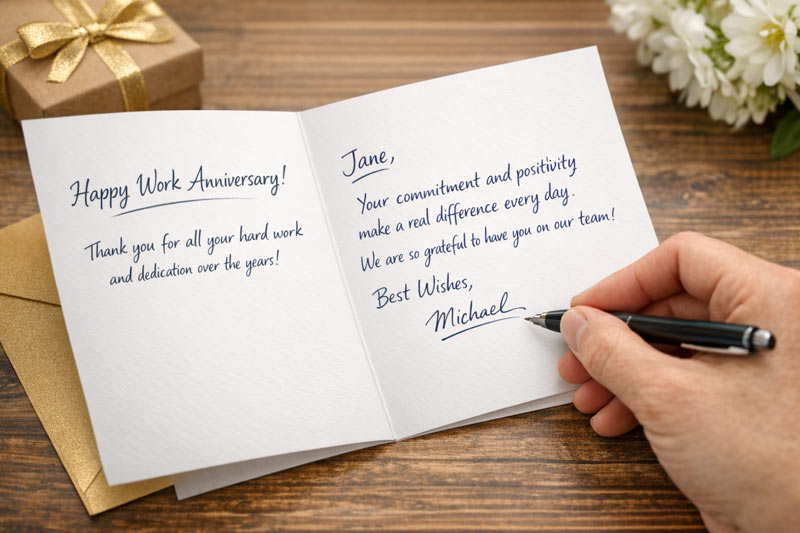
Why Employee Anniversary Recognition Matters
Celebrating work anniversaries demonstrates gratitude and reinforces company values. A well-written message can inspire loyalty and motivate employees to continue contributing their best.
- Employee recognition fosters engagement and retention.
- Anniversary cards create lasting memories and positive associations.
- Personalized messages show genuine appreciation.
Tips for Writing Employee Anniversary Messages
Crafting a meaningful anniversary message involves personalization, professionalism, and sincerity. Use these tips to make your message stand out:
- Address the employee by name.
- Mention specific achievements or qualities.
- Express gratitude for their contributions.
- Keep the tone positive and professional.
- Align the message with company values.
Sample Employee Anniversary Messages
Use these templates as inspiration for your own employee anniversary cards:
- “Congratulations on your work anniversary, [Name]! Your dedication and hard work have made a lasting impact on our team.”
- “Thank you for [X] years of outstanding service. We appreciate your commitment and positive attitude.”
- “Happy anniversary, [Name]! Your contributions help us grow stronger every year.”
- “We’re grateful for your loyalty and excellence. Wishing you continued success with our company.”

Personalization Strategies
Personalizing your anniversary message makes it more meaningful. Consider these approaches:
- Reference specific projects or milestones.
- Include a handwritten note for a personal touch.
- Add a quote or company value that resonates with the employee.
Anniversary Message Etiquette
Follow these etiquette guidelines to ensure your message is appropriate and impactful:
- Use professional language.
- Avoid overly casual or generic phrases.
- Respect cultural differences and preferences.
- Deliver the card in a timely manner.
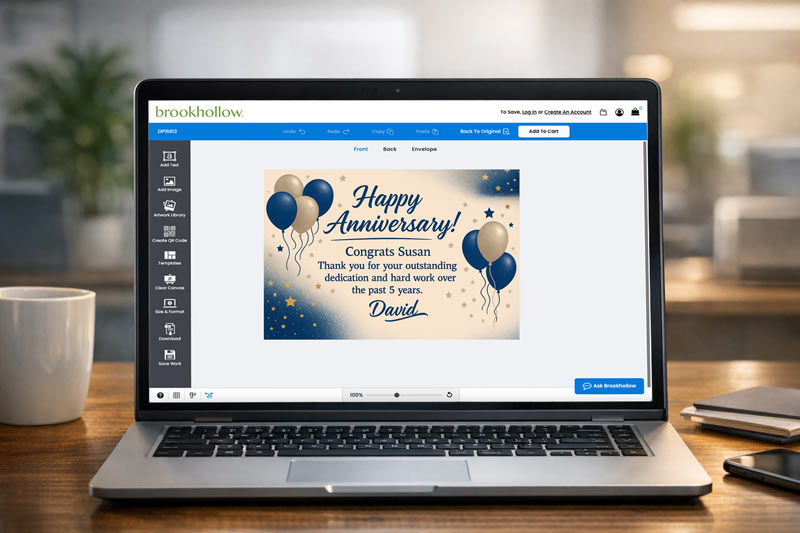
Create Your Own Personalized Greeting
Both prewritten and handwritten messages have their place in employee recognition. Choose the format that best suits your company culture and the recipient’s preferences:
- Custom cards offer a personal, tangible touch.
- Personalized messages show the recipient you really care.
- Anniversaries are important milestones that deserve an extra touch of personalization.
- Check out Brookhollow’s custom designs for special milestones.
Common Mistakes to Avoid
Avoid these pitfalls when writing employee anniversary messages:
- Using generic or impersonal language.
- Forgetting to mention the employee’s name or achievements.
- Sending the card late or missing the anniversary date.
How to Choose the Right Card
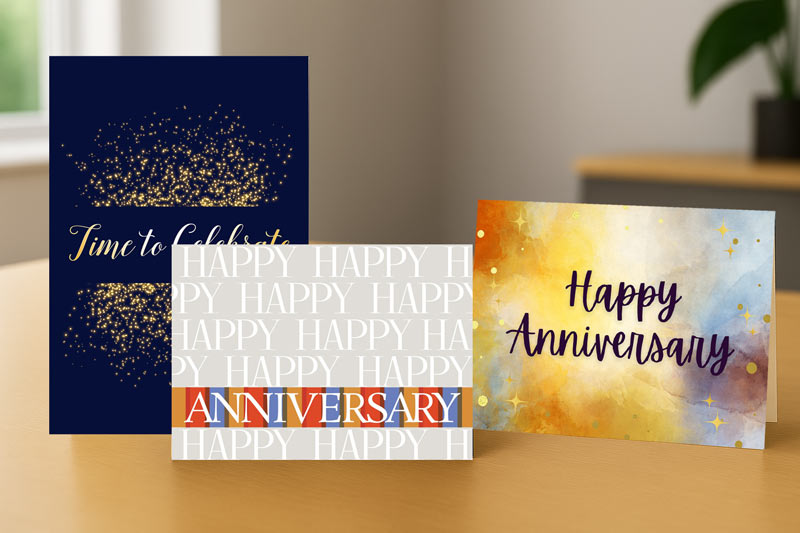
Select a card that reflects your company’s brand and the employee’s personality. Brookhollow Cards offers a variety of business greeting cards for every occasion.
FAQ: Employee Anniversary Messages
- What should I write in an employee anniversary card?
- Express gratitude, mention achievements, and personalize the message for the recipient.
- How do you congratulate an employee on their work anniversary?
- Use positive, professional language and highlight their contributions.
- What are examples of professional anniversary messages?
- See our sample templates above for inspiration.
- How can I personalize an employee anniversary message?
- Reference specific projects, add a handwritten note, or include a meaningful quote.
- What is the etiquette for employee anniversary cards?
- Use professional language, respect cultural preferences, and deliver the card on time.
- Should anniversary messages be handwritten or printed?
- Both formats are appropriate; choose based on company culture and employee preference.
- How do you celebrate employee anniversaries in the workplace?
- Combine cards with verbal recognition, small gifts, or team celebrations.
- What are common mistakes to avoid in anniversary messages?
- Avoid generic language, missing the anniversary date, or neglecting personalization.
Related Links
Employee Anniversary Messages: Meaningful Ways to Celebrate Work Milestones
Recognizing employee anniversaries with thoughtful messages strengthens workplace relationships and boosts morale. Discover tips, templates, and etiquette for crafting memorable anniversary cards that show genuine appreciation.
Why Employee Anniversary Recognition Matters
Celebrating work anniversaries demonstrates gratitude and reinforces company values. A well-written message can inspire loyalty and motivate employees to continue contributing their best.
- Employee recognition fosters engagement and retention.
- Anniversary cards create lasting memories and positive associations.
- Personalized messages show genuine appreciation.
Tips for Writing Employee Anniversary Messages
Crafting a meaningful anniversary message involves personalization, professionalism, and sincerity. Use these tips to make your message stand out:
- Address the employee by name.
- Mention specific achievements or qualities.
- Express gratitude for their contributions.
- Keep the tone positive and professional.
- Align the message with company values.
Sample Employee Anniversary Messages
Use these templates as inspiration for your own employee anniversary cards:
- “Congratulations on your work anniversary, [Name]! Your dedication and hard work have made a lasting impact on our team.”
- “Thank you for [X] years of outstanding service. We appreciate your commitment and positive attitude.”
- “Happy anniversary, [Name]! Your contributions help us grow stronger every year.”
- “We’re grateful for your loyalty and excellence. Wishing you continued success with our company.”
Personalization Strategies
Personalizing your anniversary message makes it more meaningful. Consider these approaches:
- Reference specific projects or milestones.
- Include a handwritten note for a personal touch.
- Add a quote or company value that resonates with the employee.
Anniversary Message Etiquette
Follow these etiquette guidelines to ensure your message is appropriate and impactful:
- Use professional language.
- Avoid overly casual or generic phrases.
- Respect cultural differences and preferences.
- Deliver the card in a timely manner.
Create Your Own Personalized Greeting
Both prewritten and handwritten messages have their place in employee recognition. Choose the format that best suits your company culture and the recipient’s preferences:
- Custom cards offer a personal, tangible touch.
- Personalized messages show the recipient you really care.
- Anniversaries are important milestones that deserve an extra touch of personalization.
- Check out Brookhollow’s custom designs for special milestones.
Common Mistakes to Avoid
Avoid these pitfalls when writing employee anniversary messages:
- Using generic or impersonal language.
- Forgetting to mention the employee’s name or achievements.
- Sending the card late or missing the anniversary date.
How to Choose the Right Card
Select a card that reflects your company’s brand and the employee’s personality. Brookhollow Cards offers a variety of business greeting cards for every occasion.
FAQ: Employee Anniversary Messages
- What should I write in an employee anniversary card?
- Express gratitude, mention achievements, and personalize the message for the recipient.
- How do you congratulate an employee on their work anniversary?
- Use positive, professional language and highlight their contributions.
- What are examples of professional anniversary messages?
- See our sample templates above for inspiration.
- How can I personalize an employee anniversary message?
- Reference specific projects, add a handwritten note, or include a meaningful quote.
- What is the etiquette for employee anniversary cards?
- Use professional language, respect cultural preferences, and deliver the card on time.
- Should anniversary messages be handwritten or printed?
- Both formats are appropriate; choose based on company culture and employee preference.
- How do you celebrate employee anniversaries in the workplace?
- Combine cards with verbal recognition, small gifts, or team celebrations.
- What are common mistakes to avoid in anniversary messages?
- Avoid generic language, missing the anniversary date, or neglecting personalization.